MAIA Prompt Library - Quickstart
Last updated Over 1 year ago
1. Why and when to use?
The Prompt Library was specially developed for companies and users who want to efficiently store, organise and retrieve frequently recurring requests. It solves three main challenges:
Increased efficiency: Repeated requests or complex prompts do not have to be reformulated each time.
Quality control: Uniform and optimised prompts can be used for consistent results.
Team collaboration: Companies can share standardised prompts to improve collaboration and avoid knowledge loss.
2. Steps for use
Step 1: Create collection
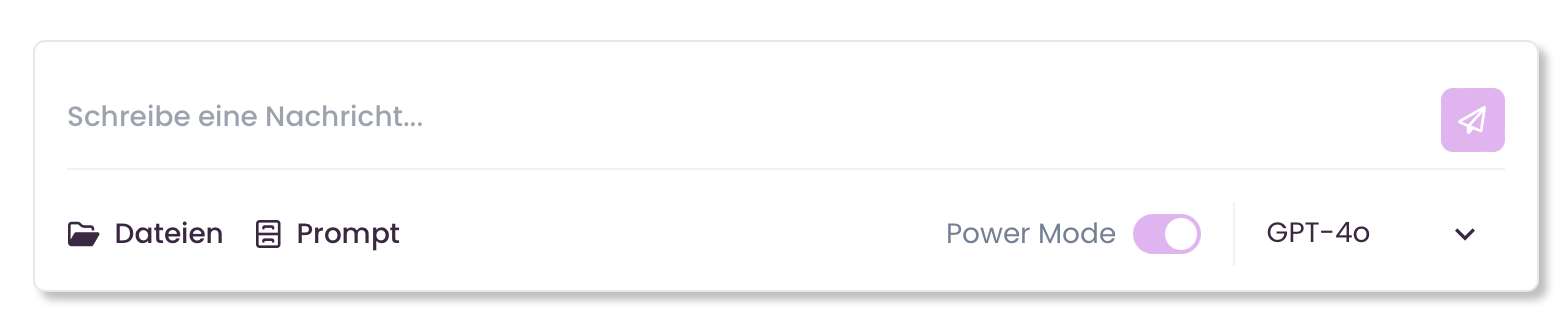
Navigate to the prompt library in the MAIA chat via the button in the chat box.
Click on ‘Add Collection‘ to add a new collection
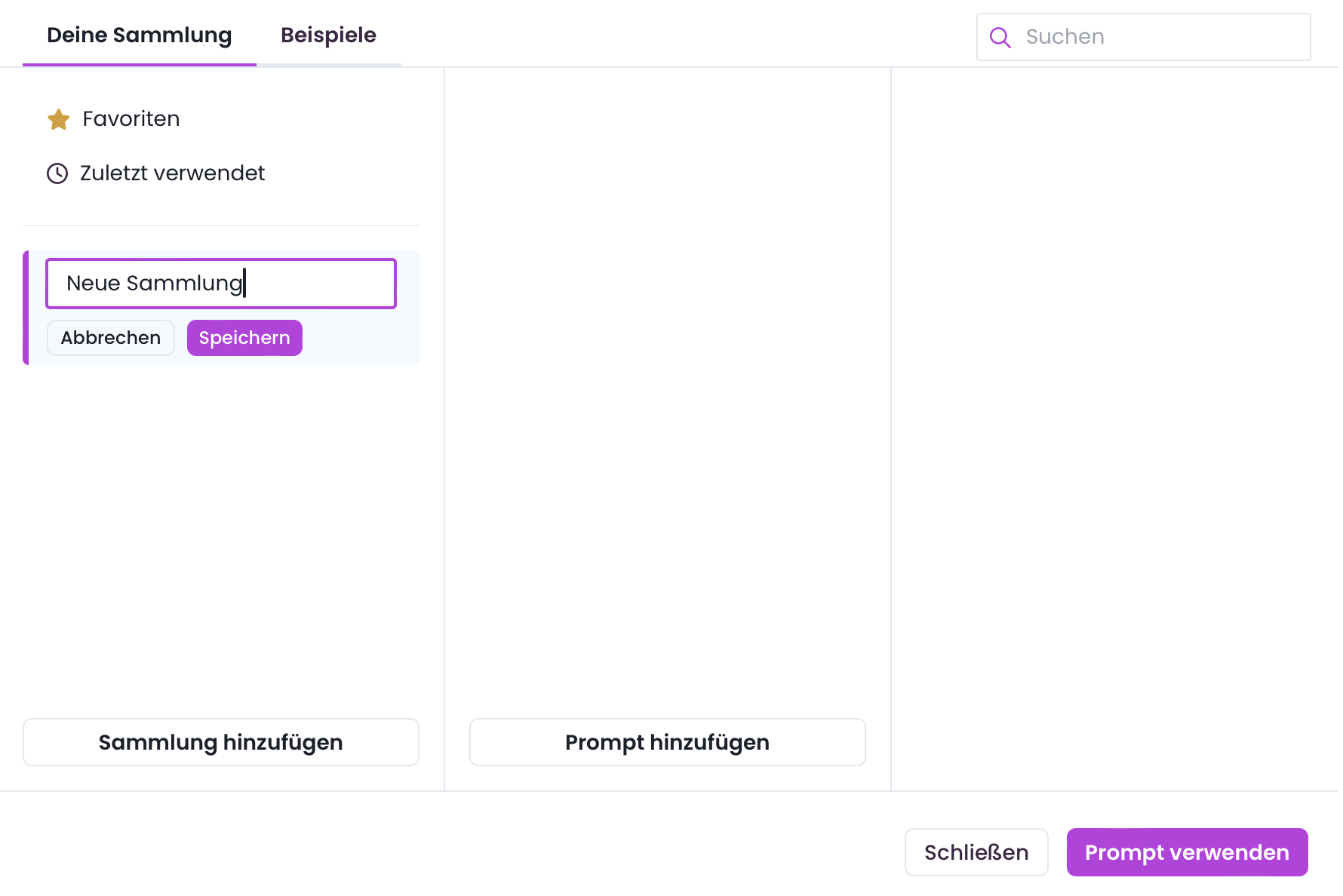
Name the collection appropriately, e.g. ‘Product strategies’ or ‘Competitive analyses’.
Step 2: Add prompts
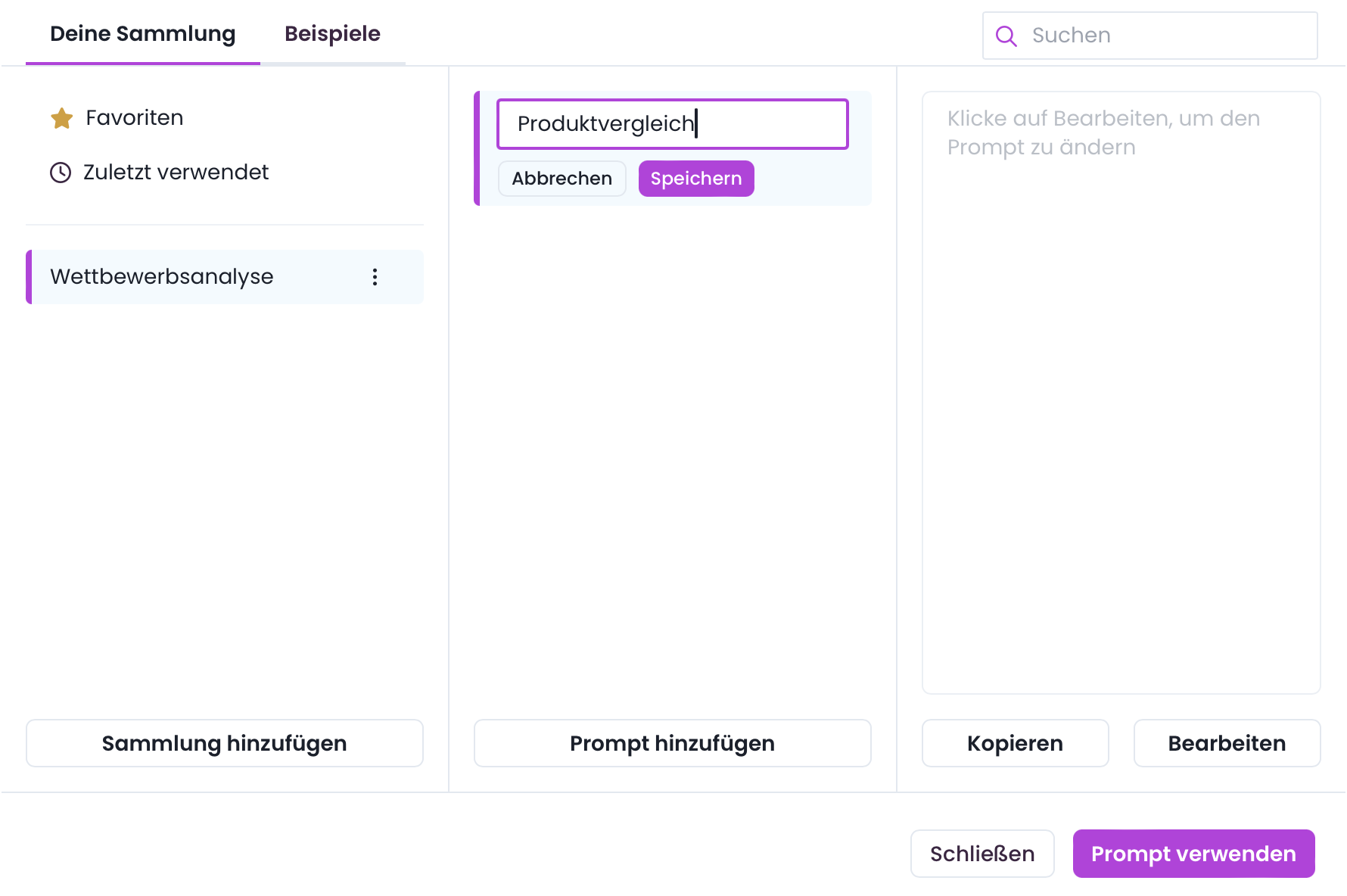
Click on ‘Add prompt‘ and name it accordingly
Now click on ‘Edit’ to enter the text of the prompt and select ‘Save’.
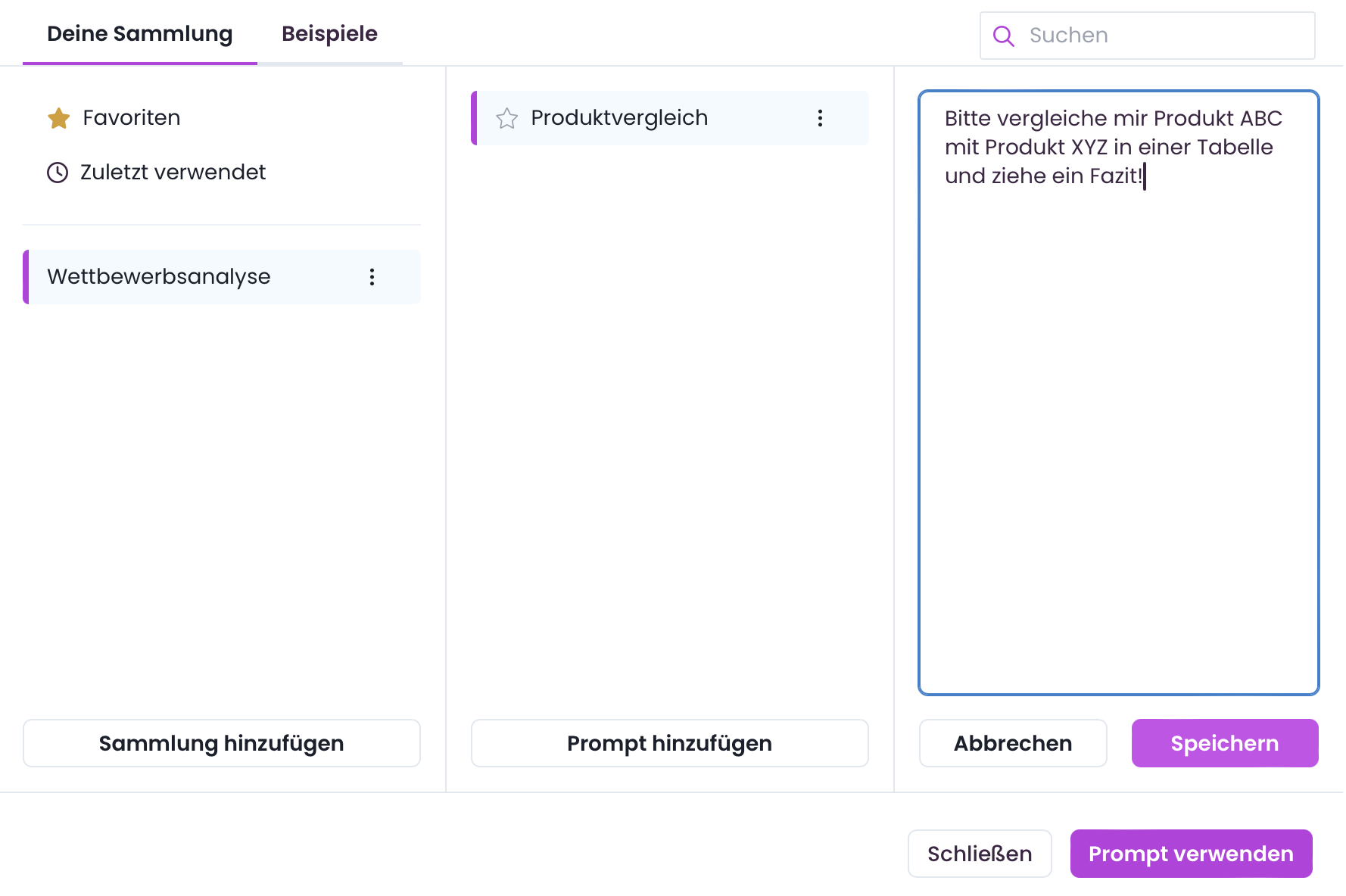
Prompts can thus be categorised in the collection and edited at any time.
Step 3: Use of prompts
After calling up the prompt library, select the desired prompt and click on ‘Use prompt’ to transfer it to the active input field.
3. Technical details and functions
Favourites: Mark frequently used prompts as favourites to ensure quick access.
Last used: The most recently used prompts are automatically saved and can be easily retrieved again.
Editing: Prompts can be edited or deleted at any time.
4. Tips for effective prompting
Variant 1: Placeholder
You can use placeholders in your prompts
Example: ‘Give me three blog ideas on the topic {PLATZHALTER}’
When using it, you can replace the placeholder with the current topic
Angenehmer ist meistens allerdings ein sogenannter “interaktiver Prompt” da sie dafür keine Platzhalter ersetzen müssen.
Variant 2: Interactive prompts
Formulate prompts that encourage MAIA to ask specific questions
Example: ‘MAIA, I would like you to generate three blog ideas for me. Please ask me about them:
about the topic
about the style
important points that you should consider’
This leads to a structured dialogue and better results
5. FAQ
Can I share prompts with other users?
The Prompt Library is currently user-specific. Sharing prompts within the Prompt Library is on our development roadmap.
Is there a limit for saved prompts?
There is no fixed limit, but it is advisable to organise collections sensibly in order to maintain clarity.
Are prompts saved automatically?
Prompts must be added manually. Automatic saving from input fields is not provided in order to avoid unintentional entries.