Confluence Setup Part 2: Connect Your MAIA Account with Atlassian
With this guide you can connect your personal Confluence/Atlassian account to MAIA.
Last updated About 1 year ago
Navigate to the settings in MAIA.
If the “Confluence” tab is not visible, the Confluence integration feature has not yet been activated. In this case, please contact support at info@prodlane.io.
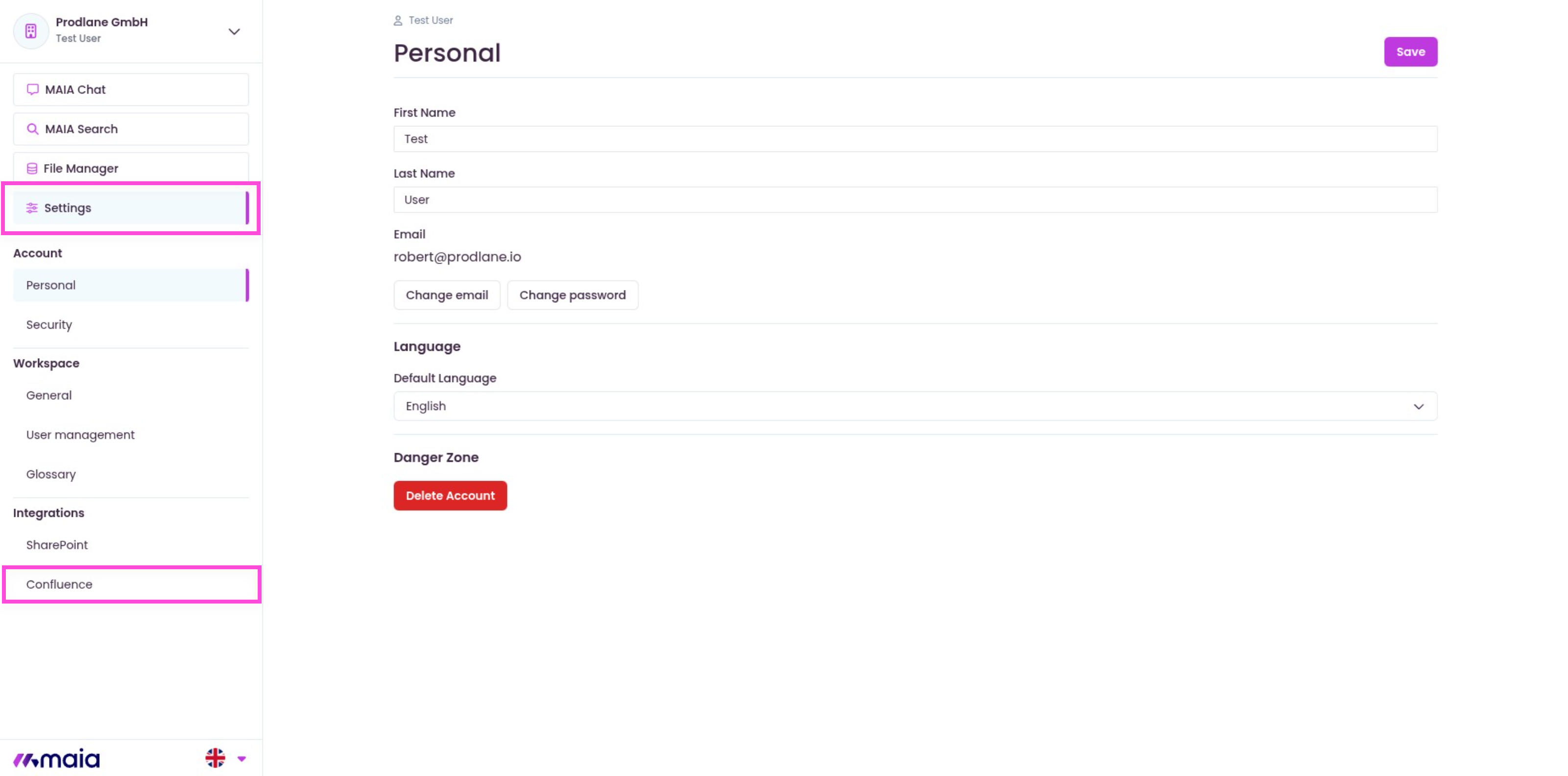
Select the Connect button.
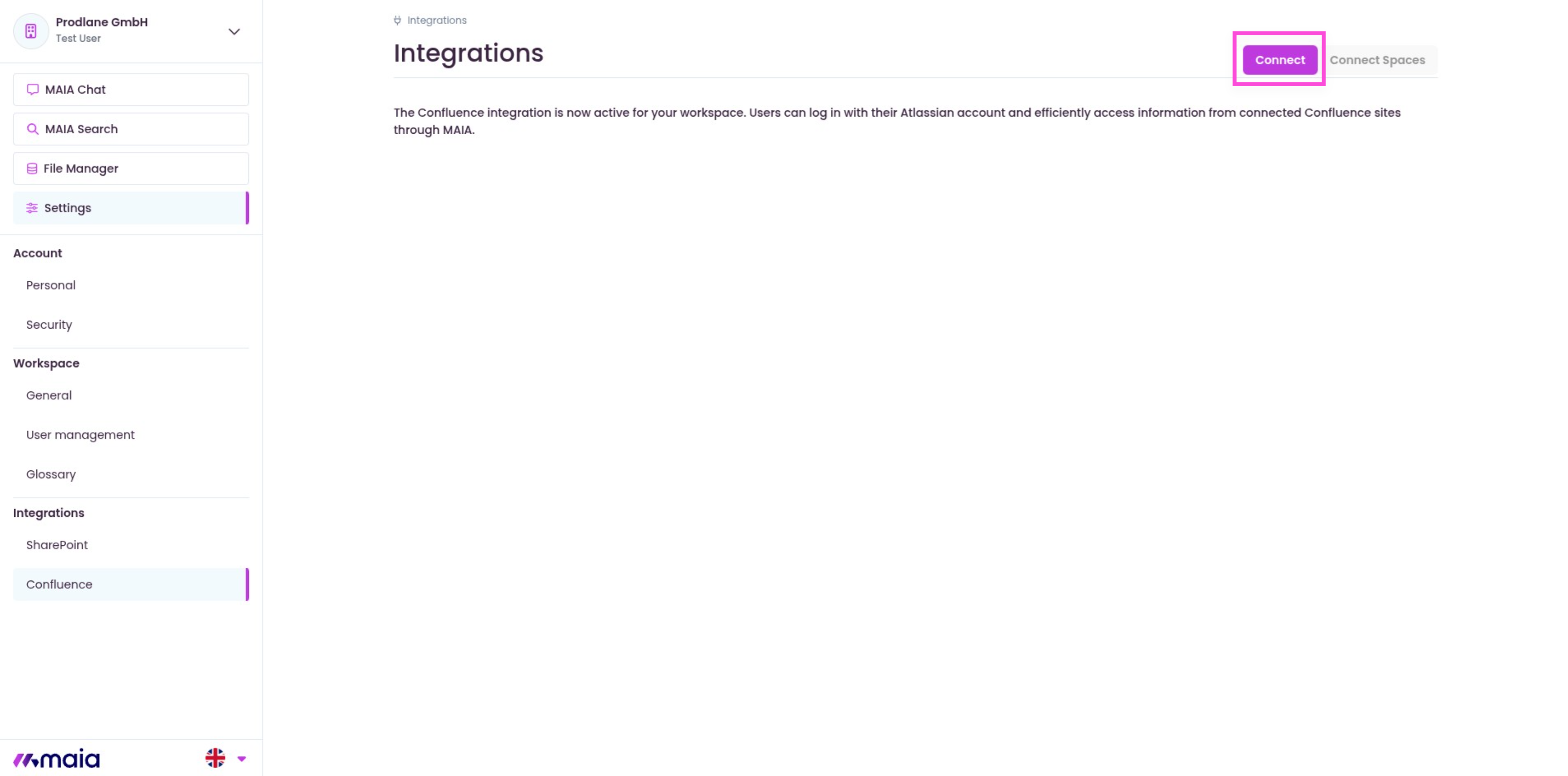
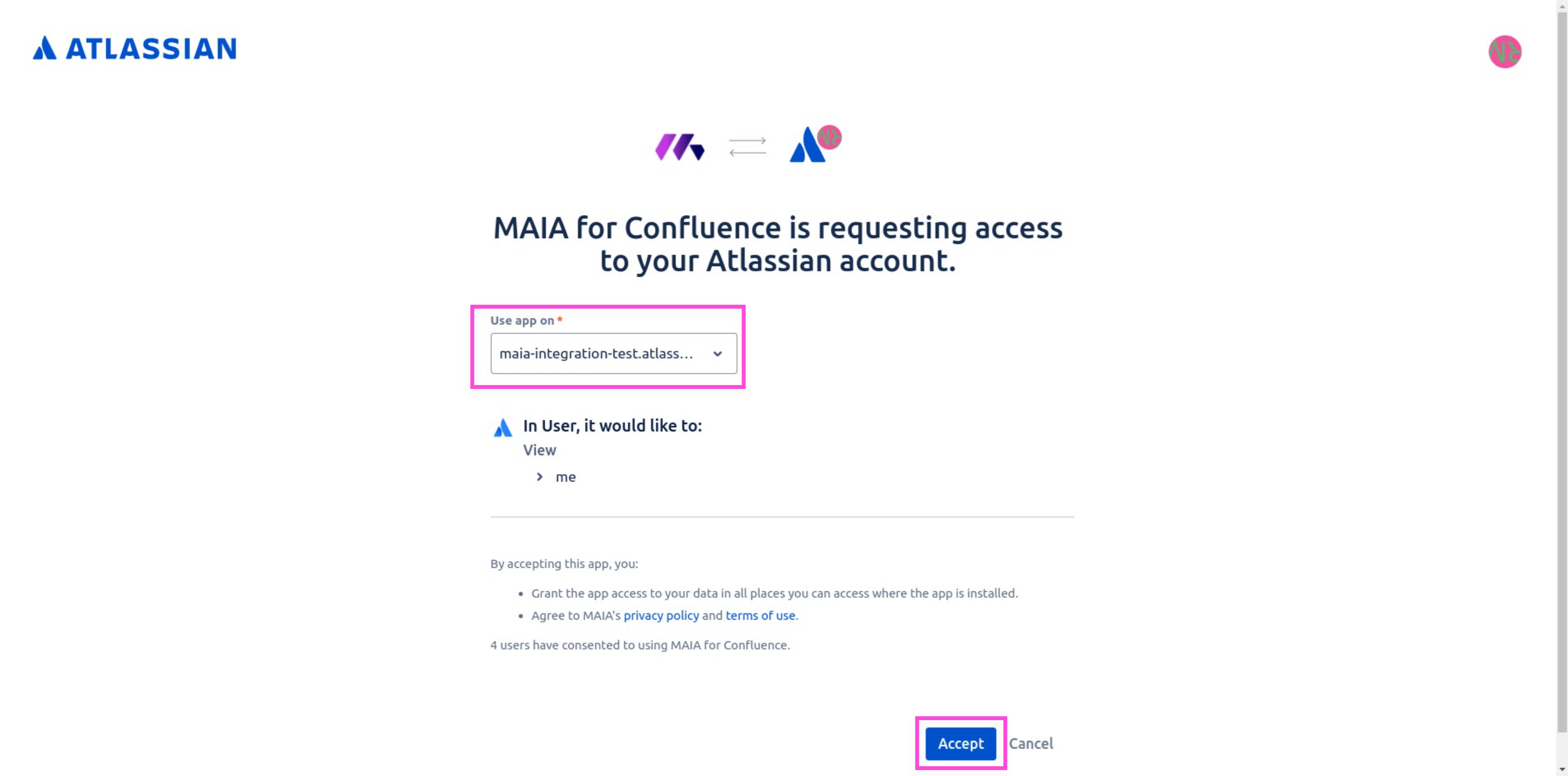
You will be redirected to Atlassian.
Select the organization you want to connect for.
Confirm the authorizations and click on Accept.
After confirmation, you will be redirected back to MAIA.
Click on Connect Spaces to link Confluence Spaces with MAIA.
If no Spaces are displayed, this may have the following causes:
The MAIA for Confluence Connect App is not connected with your organization.
Confluence Setup: Installing MAIA for Confluence Atlassian Connect App
The app has not yet synchronized any metadata. (Wait 1-2 hours and then check again).
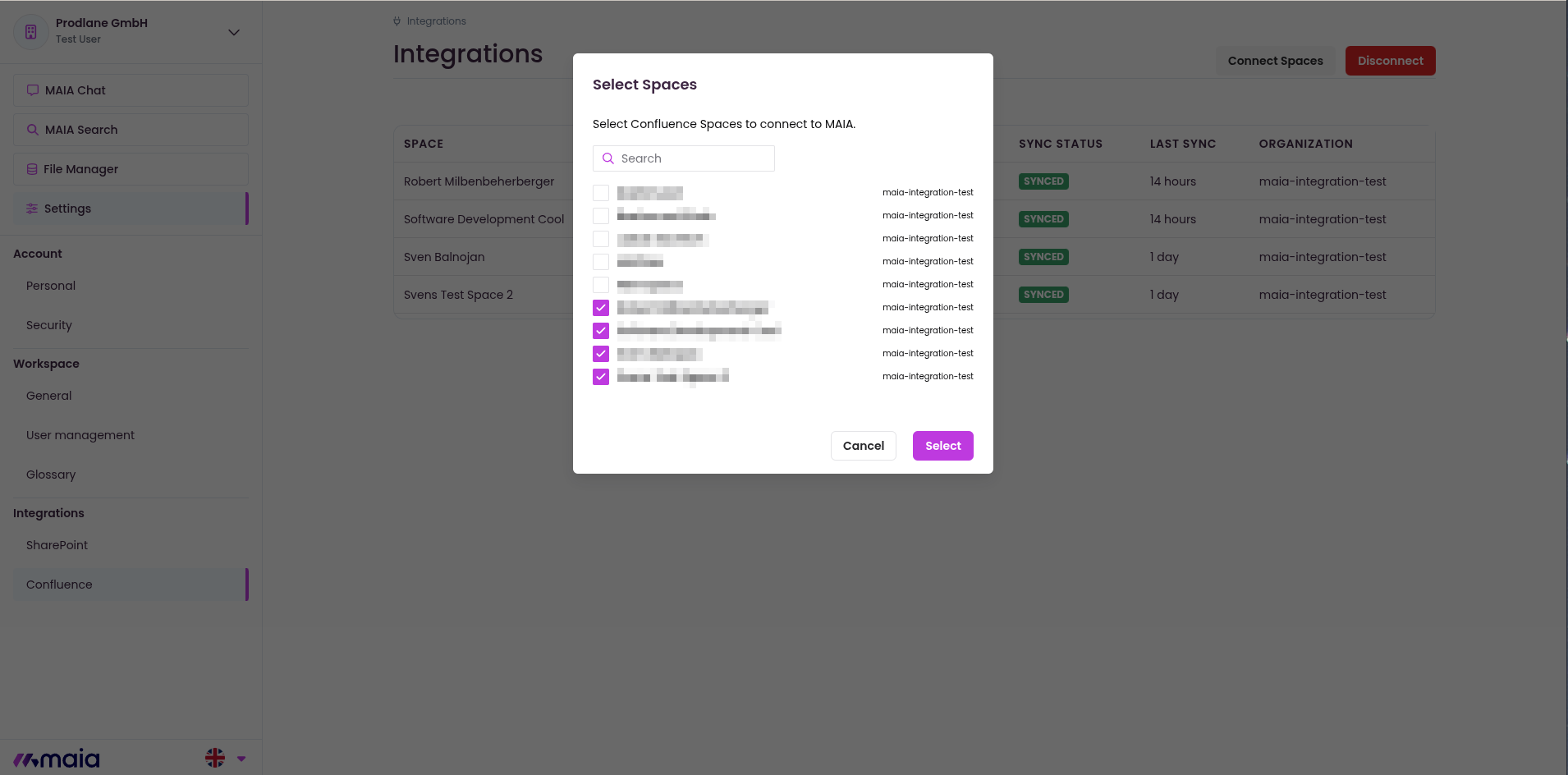
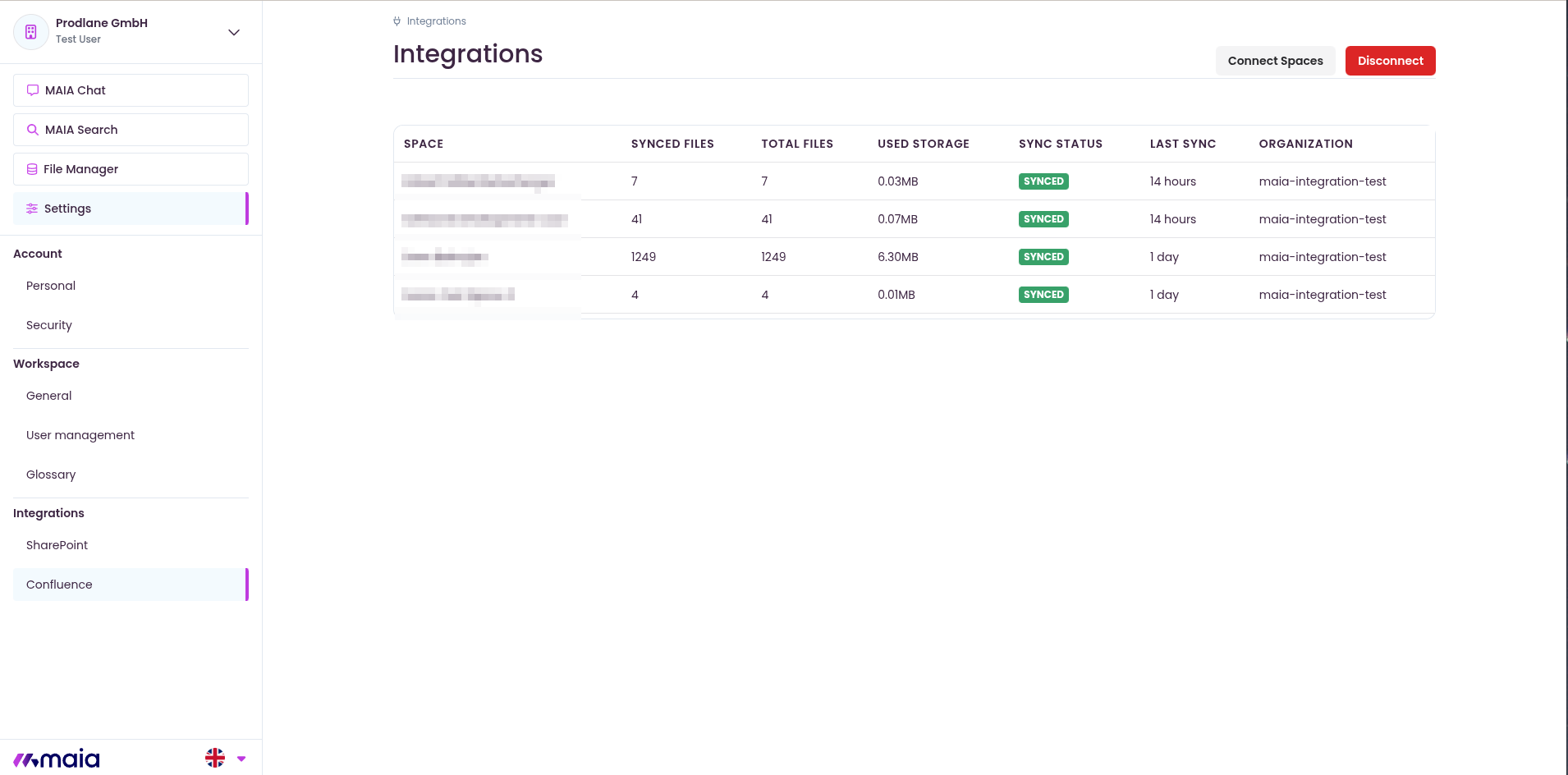
As soon as the Spaces have been successfully synchronized, you can use your Confluence data in MAIA.